Loading Tutorstips...
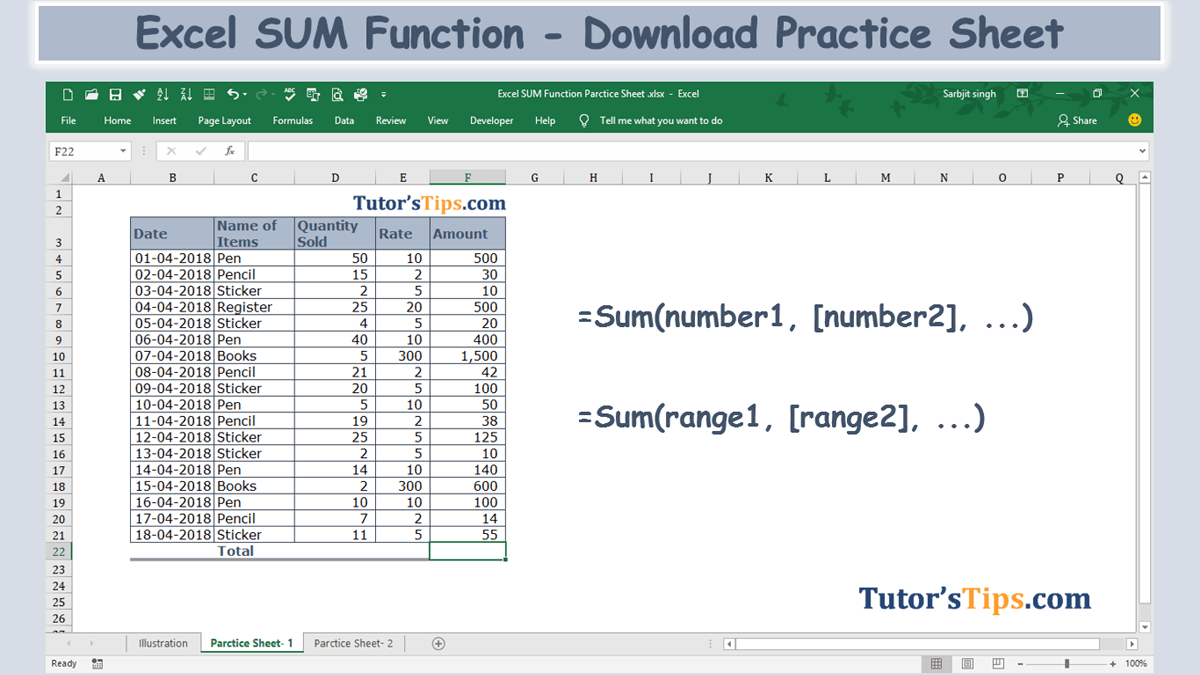
The Excel SUM Formula is used, where we need to do the sum of the numerical values in the selected range, cells reference or table column/row. It can sum together the numerical values in the multiple selected ranges or cells references.

Now, We will explain the Arguments of the Function.
=SUM(number1, [number2], [number3], ...)
number1: - Number 1 is represented as the first selected cell which we want to sum up.
[number2]: - Number 2 is represented the next selected cell which we want to sum up.
[number3]: - Number 3 is represented the next selected cell which we want to sum up and a process of selection going on.
We can also select range instead of selecting a number individually.
=SUM(range1, [range2], [range3], ...)
range1: - Range 1 is represented as the first selected cells which we want to sum up.
[range2]: - Range 2 is represented the next selected cells which we want to sum up.
[range3]: - Range 3 is represented the next selected cells which we want to sum up and a process of selection going on.
I will show you, how to apply this function.
From the following table get the total of the amount.
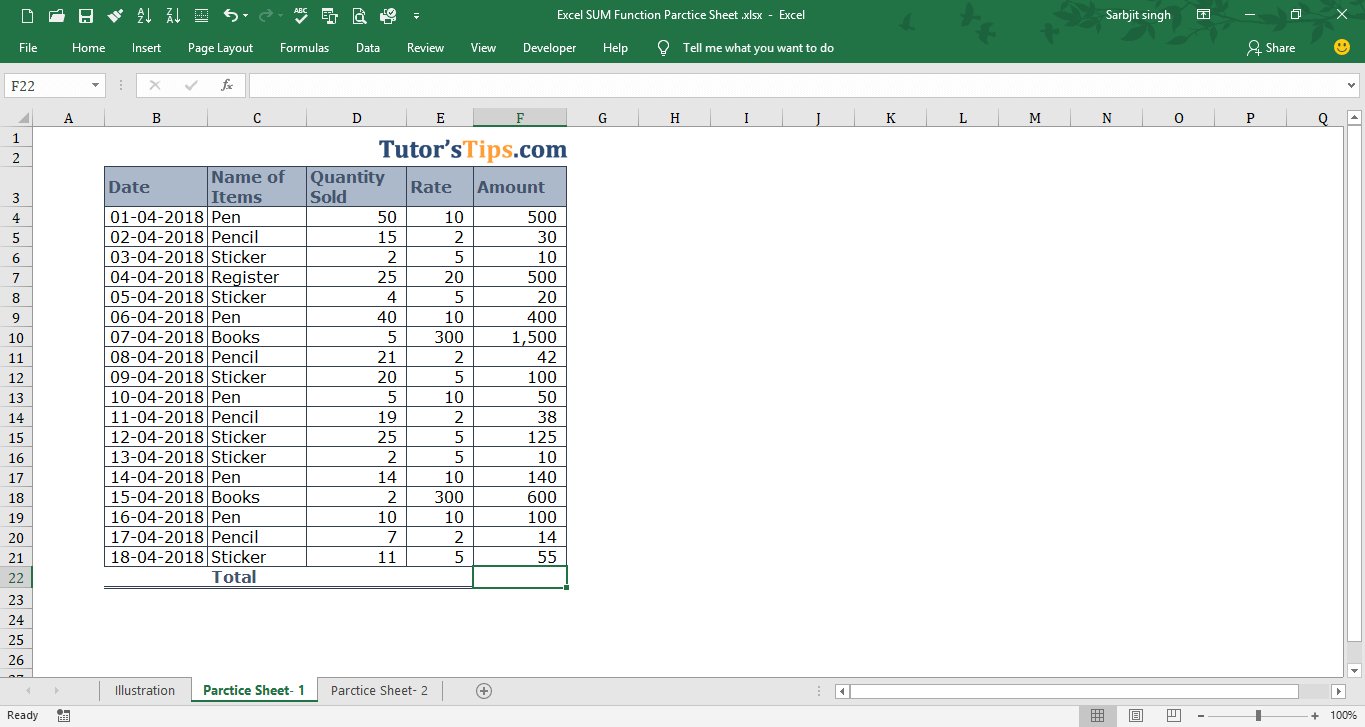
Solution:-
We will Apply the SUM Formula and get the result. This is shown in the following steps: -
Step No. 1:-
We will write the “=SUM( ” in the column of the result.
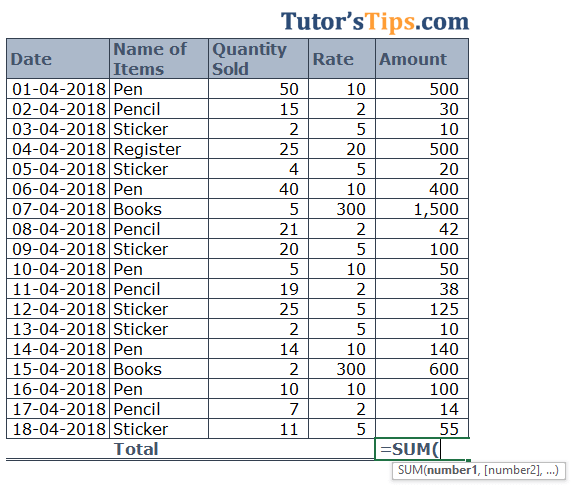
Step No. 2
Now select the range of cells on which you want to apply the function.
Step No. 3: -
Now, Press enter and get the result: -
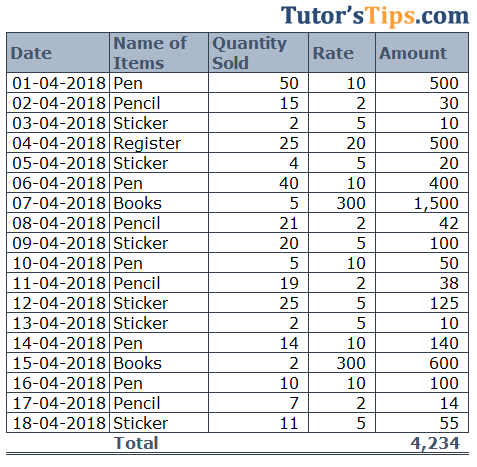
Thanks
Please Share and comment your feedback.
to buy the Microsoft Excel Click Here.
Accounting & Commerce Educator
Sarbjit Singh holds a B.Com and M.Com degree and has over 12 years of teaching experience in double entry bookkeeping, financial accounting, and business studies.
The Excel SUM Formula is used, where we need to do the sum of the numerical values in the selected range, cells reference or table column/row. It can sum…
Class 11 and Class 12 commerce students, and CA Foundation aspirants, studying Excel Formula.
Yes — this page includes a short interactive quiz so you can check your understanding straight away.