Loading Tutorstips...
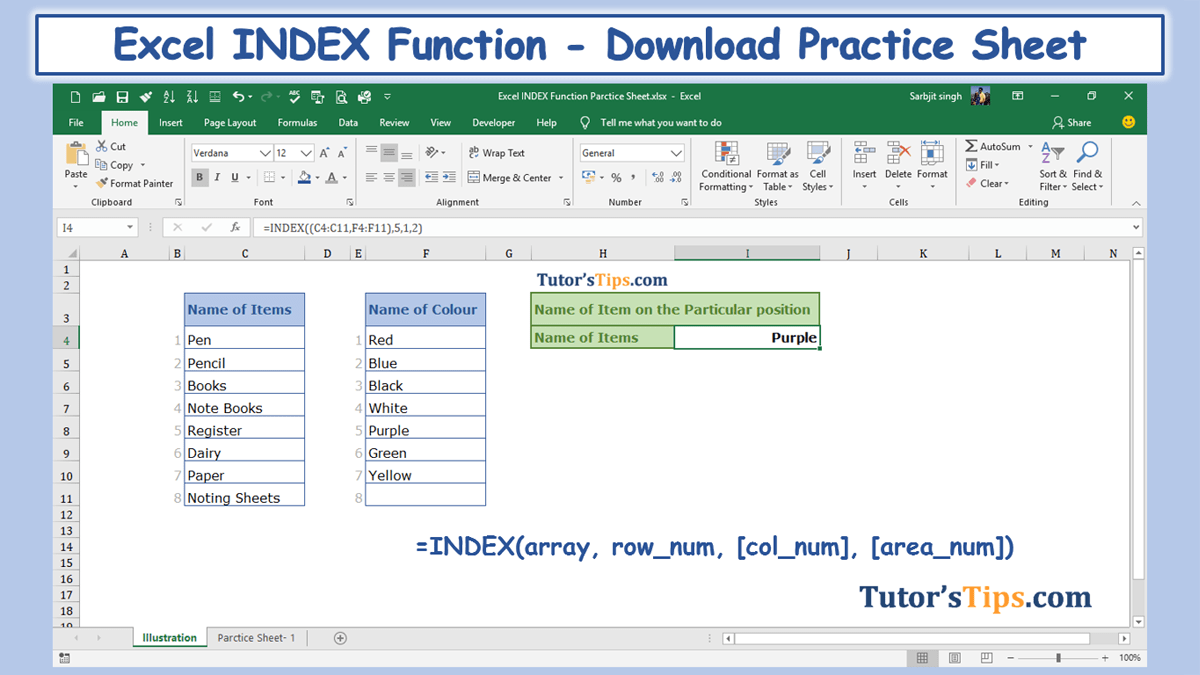
=INDEX(array, row_num, [col_num], [area_num])array: -row_num: -row numbercol_num: -Column numberarea_num:-
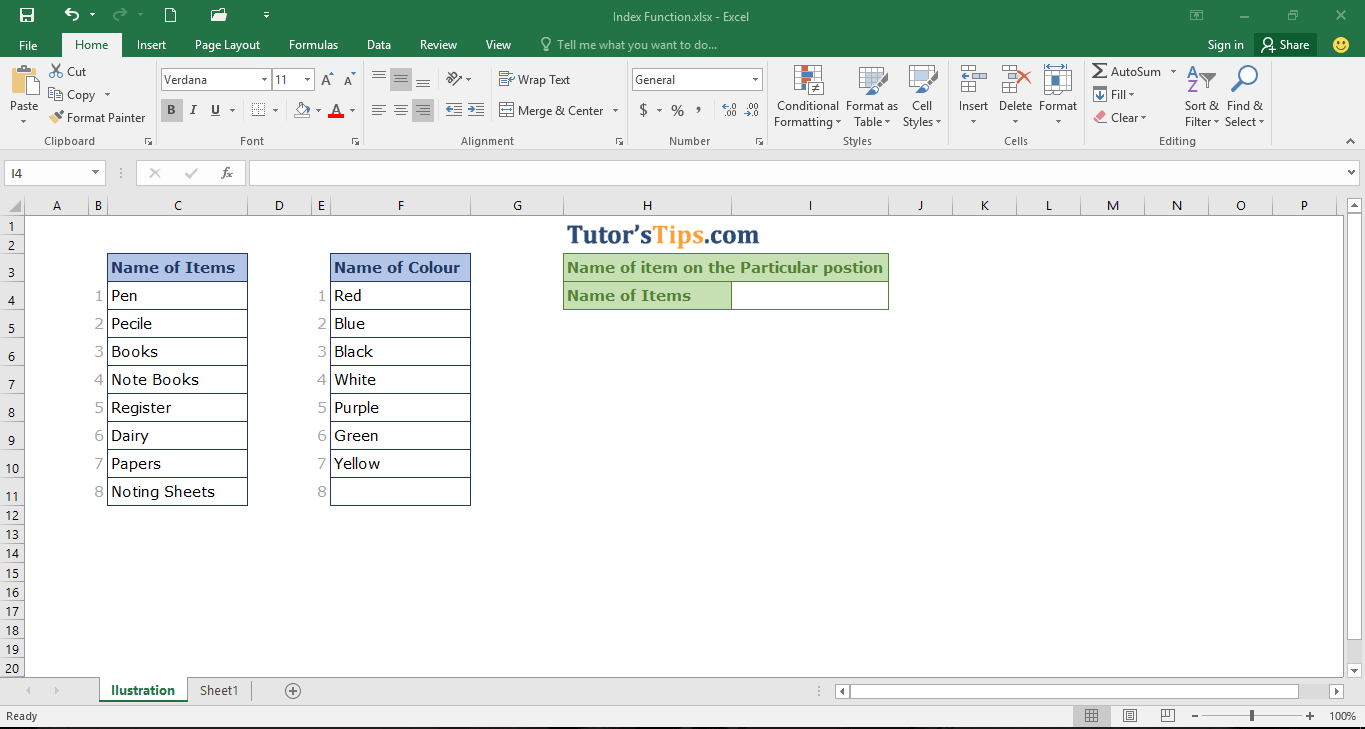
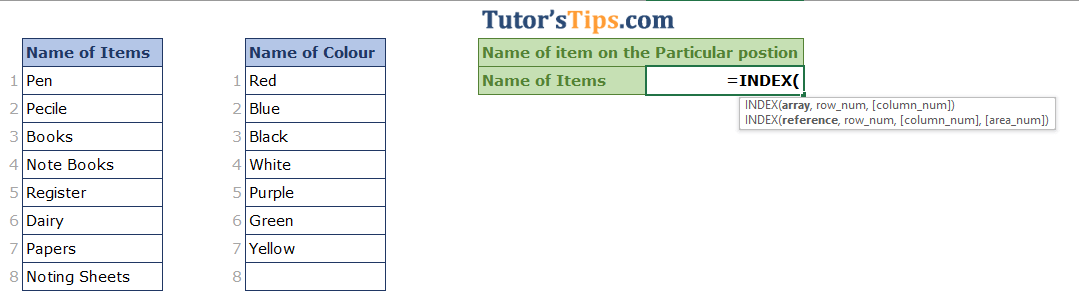
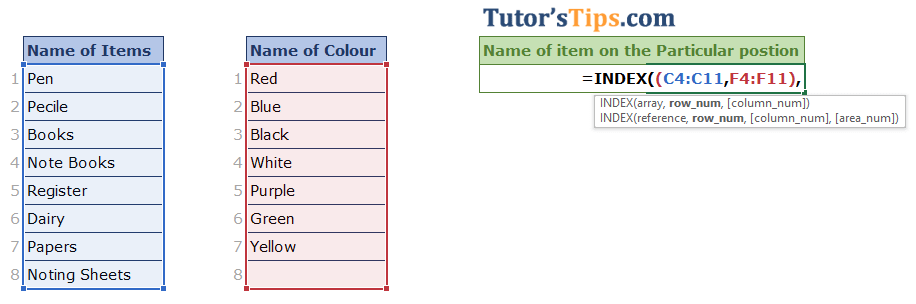
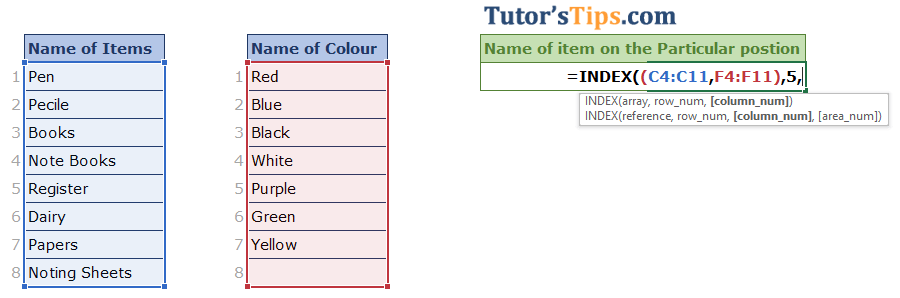
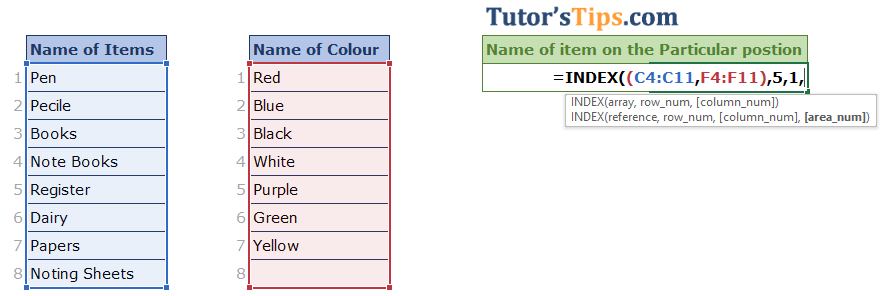
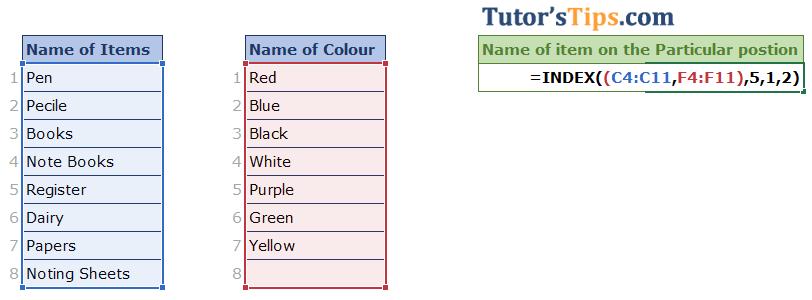 After all these steps we will get the result shown as follow: -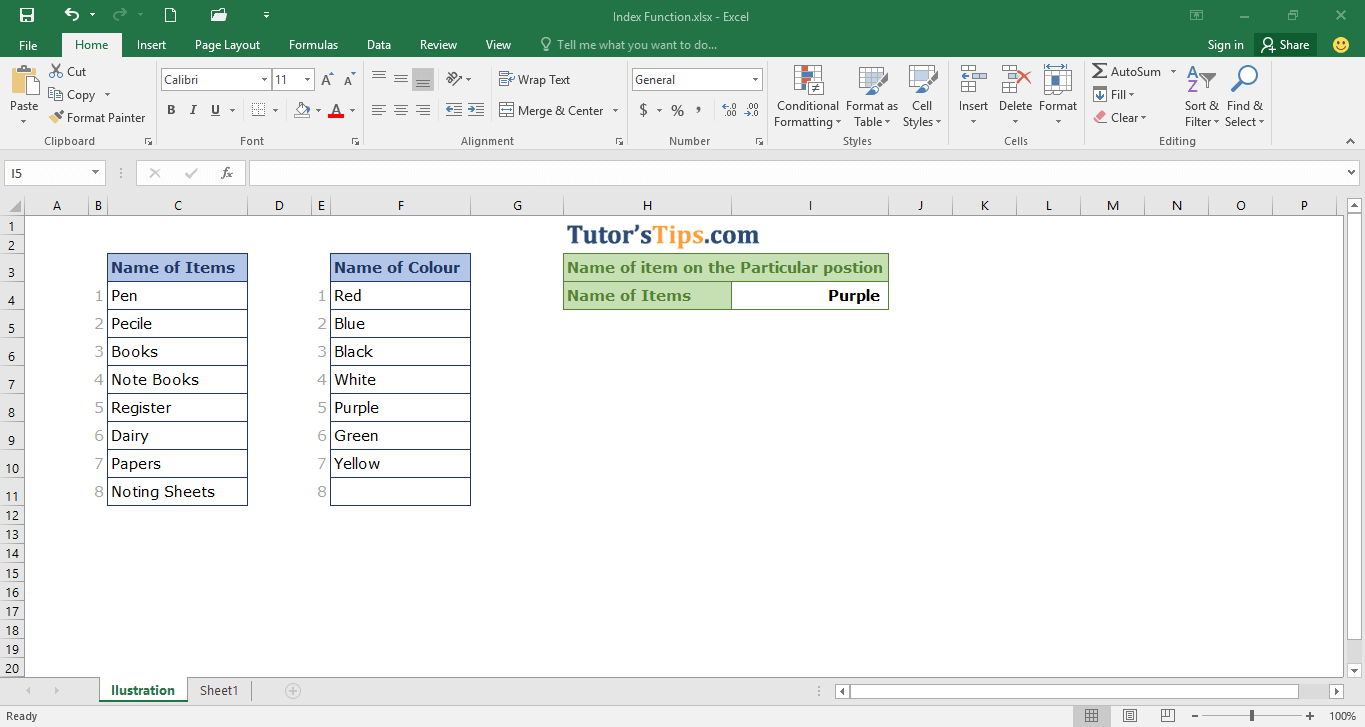
Accounting & Commerce Educator
Sarbjit Singh holds a B.Com and M.Com degree and has over 12 years of teaching experience in double entry bookkeeping, financial accounting, and business studies.
Excel Index Function:- The Excel Index function is used to find out the value in a selected array or range by giving a position of the cell in the selected…
Class 11 and Class 12 commerce students, and CA Foundation aspirants, studying Excel Formula.
Yes — this page includes a short interactive quiz so you can check your understanding straight away.